Sonicwright Rig – rigging sheets from SoundvisionSonicwright Rig – riputuslehed Soundvisioni projektist
A Mac app that reads your Soundvision exports and turns them into a phone link for the crew and rigging points with loads for the riggers.Maci programm, mis loeb Soundvisioni ekspordid ja teeb neist meeskonnale telefoni lingi ning riggeritele riputuspunktid koos koormustega.
Usable, but still in development – features may change and some things may not work as expected yet. Feedback is welcome.Juba kasutatav, kuid veel arenduses – võimalused võivad muutuda ja kõik ei pruugi veel töötada nii, nagu peaks. Tagasiside on oodatud.
Trial (60 days)Prooviversioon (60 päeva)
No sign-up: open the app and click Start 60-day trial. All features, one trial per computer. Need a full license? Write to info@sonicwright.com.Registreerumist pole vaja: ava programm ja vajuta Alusta 60-päevast prooviaega. Kõik võimalused, üks prooviaeg arvuti kohta. Täislitsentsi soovi korral kirjuta info@sonicwright.com.
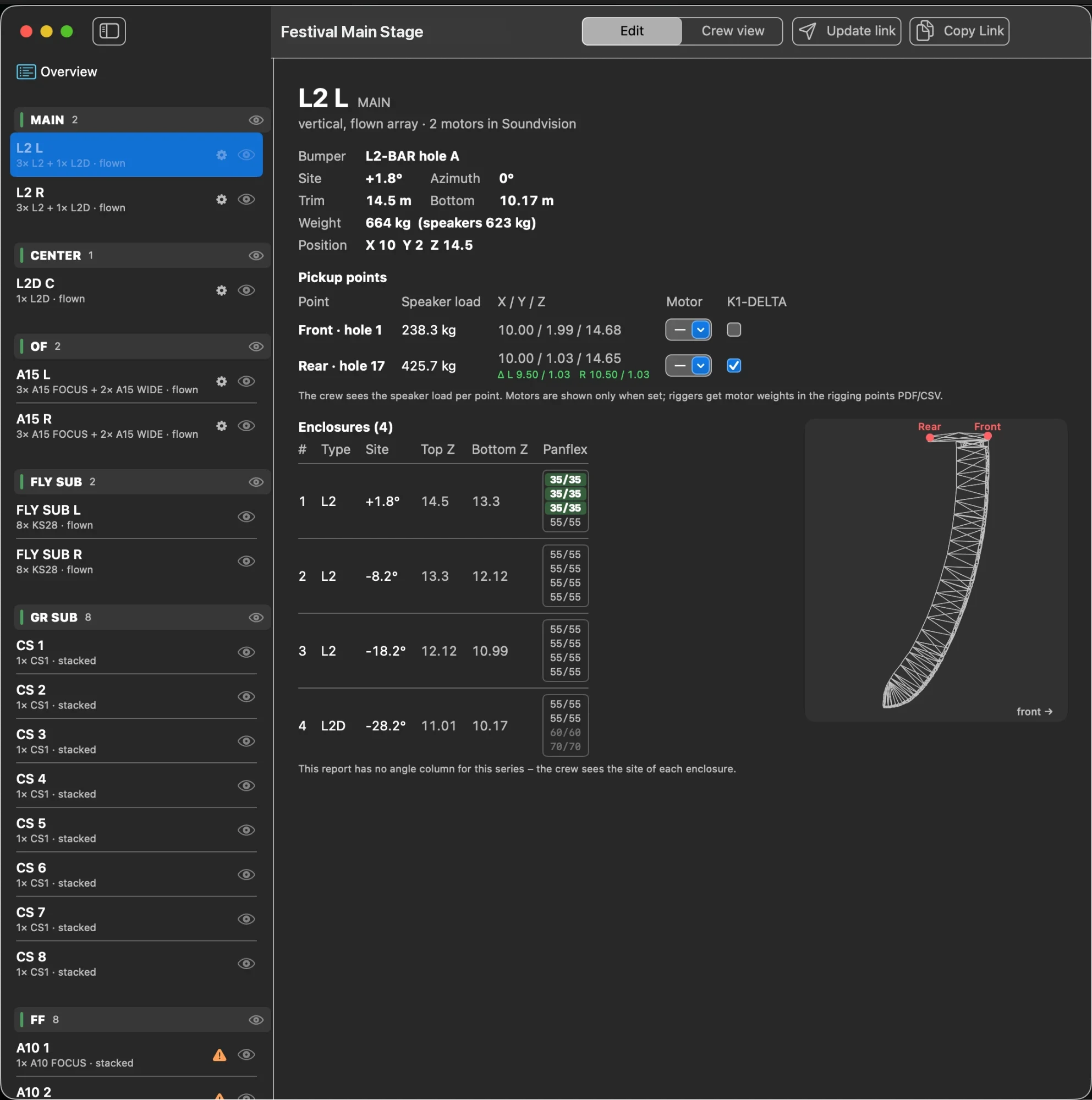
ImportImport
Soundvision report (PDF), inventory (CSV) and loudspeakers (DXF) – positions, angles, sites and weights are read automatically.Soundvisioni raport (PDF), inventory (CSV) ja kõlarid (DXF) – asukohad, nurgad, kalded ja kaalud loetakse automaatselt.
Crew linkMeeskonna link
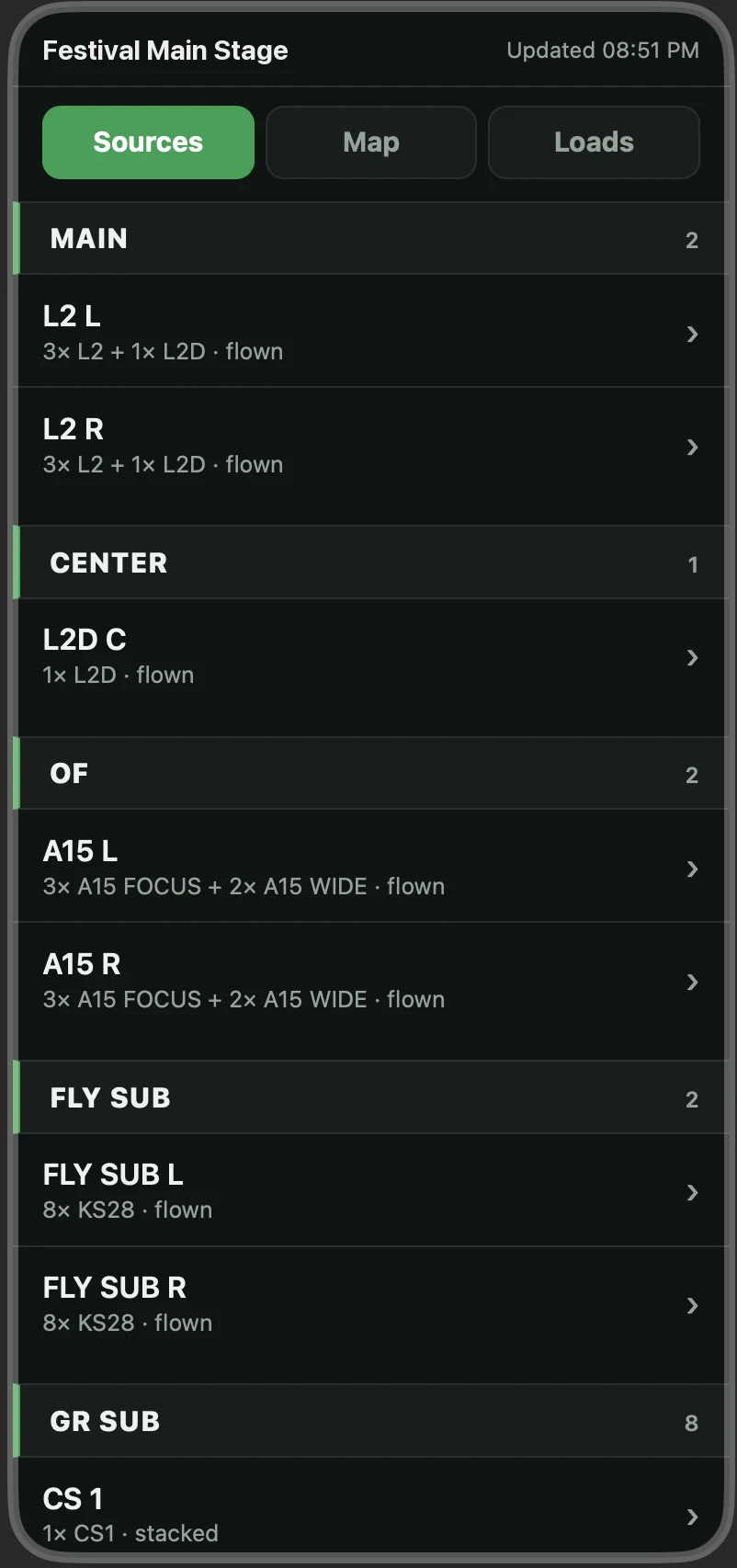
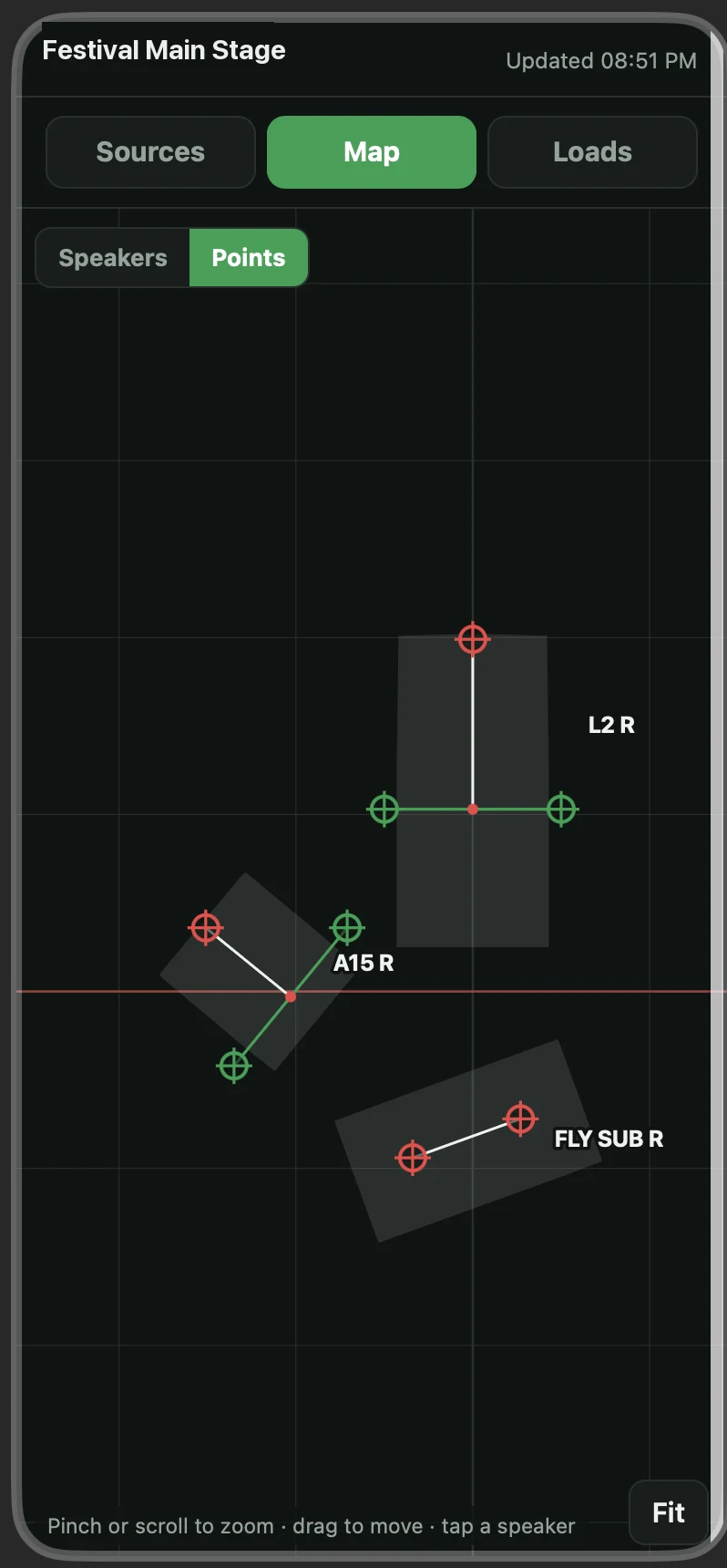
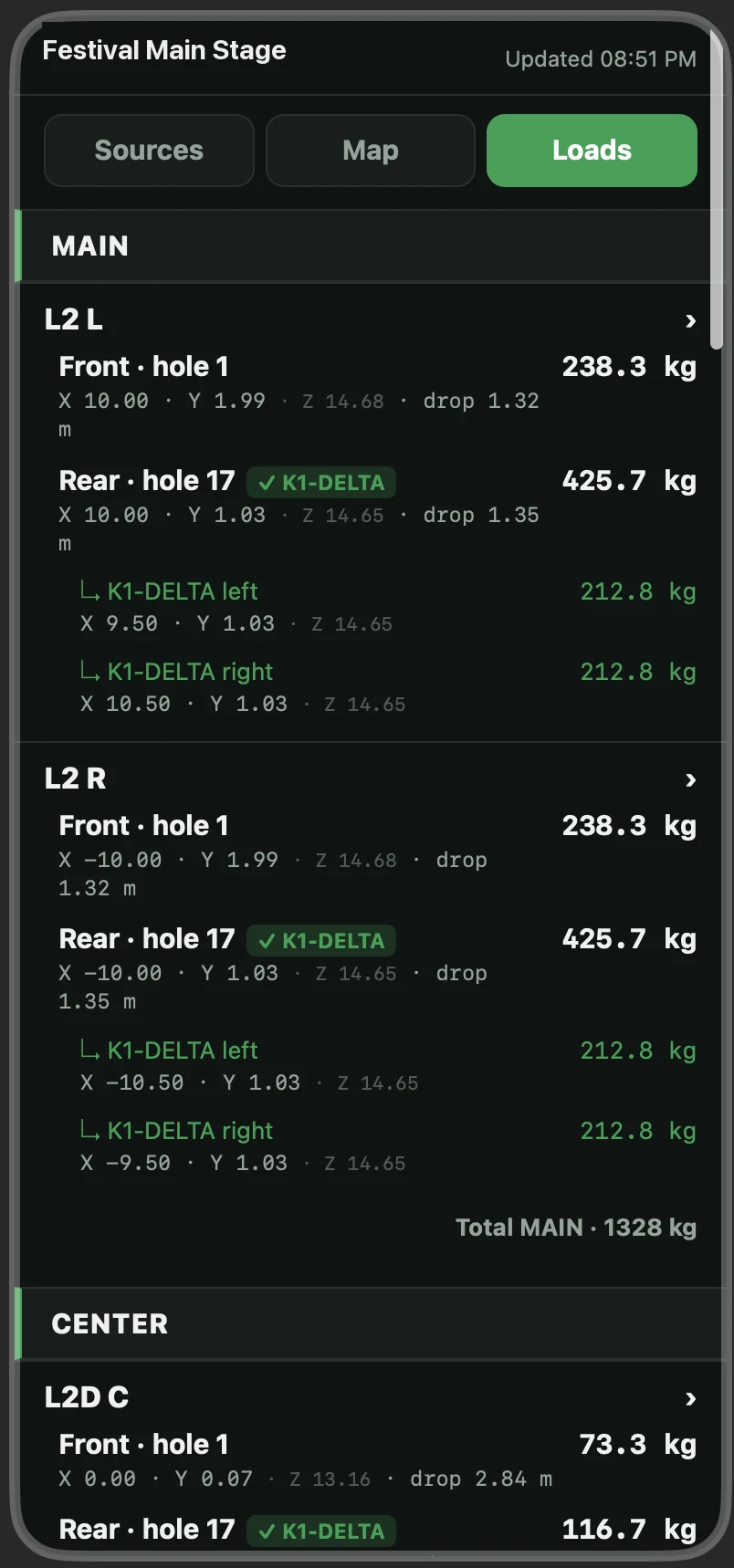
One link for the whole crew, easy to share in WhatsApp: sources, map and loads on the phone.Üks link kogu meeskonnale, lihtne WhatsAppis jagada: allikad, kaart ja koormused telefonis.
Rigging pointsRiputuspunktid
Points with coordinates and loads as PDF, CSV or 3D DXF (SketchUp, AutoCAD, Vectorworks, Rhino).Punktid koordinaatide ja koormustega PDF-, CSV- või 3D DXF-failina (SketchUp, AutoCAD, Vectorworks, Rhino).
MotorsMootorid
Add motors and K1-DELTA plates per point; they are kept when a new report is imported.Mootorid ja K1-DELTA plaadid punktide kaupa; need säilivad uue raporti importimisel.
On the phoneTelefonis
The crew opens the link in a browser – no app or account needed. When the project changes, update the link and everyone sees the new version.Meeskond avab lingi brauseris – programmi ega kontot pole vaja. Kui projekt muutub, uuenda linki ja kõik näevad uut versiooni.
Also includedVeel
- Angles, sites, panflex settings and inclinometer reading per enclosureNurgad, kalded, panflexi seaded ja kaldemõõturi näit iga kõlari kohta
- Warnings when data is missing or does not match the inventoryHoiatused, kui andmeid on puudu või need ei klapi inventory'ga
- Show or hide groups and sources for the crewGruppide ja allikate näitamine või peitmine meeskonnale
- A project file (.swrig) keeps your changes for the next importProjektifail (.swrig) hoiab sinu muudatused järgmise impordi jaoks alles
InstallingPaigaldamine
- Open the downloaded ZIP – it unpacks to Sonicwright Rig.Ava allalaaditud ZIP – sellest tuleb välja Sonicwright Rig.
- Drag Sonicwright Rig into your Applications folder. When updating, replace the old one – your settings stay.Lohista Sonicwright Rig kausta Applications (Rakendused). Uuendamisel asenda vana – seaded jäävad alles.
- Open it. macOS will say it can't verify the app – click Done.Ava see. macOS ütleb, et ei saa rakendust kontrollida – klõpsa Valmis (Done).
- Go to System Settings → Privacy & Security, scroll down and click Open Anyway next to Sonicwright Rig. Confirm with your password.Ava Süsteemiseaded → Privaatsus ja turvalisus (System Settings → Privacy & Security), keri alla ja klõpsa Sonicwright Rigi juures Ava siiski (Open Anyway). Kinnita parooliga.
- Click Start 60-day trial (or enter your license key).Vajuta Alusta 60-päevast prooviaega (või sisesta litsentsivõti).
Steps 3 and 4 are only needed the first time. The warning appears because the app is not yet notarized by Apple.Samme 3–4 on vaja teha ainult esimesel korral. Hoiatus tuleb sellepärast, et Apple ei ole programmi veel notariseerinud.
Questions or feedback? Write toKüsimused või tagasiside? Kirjuta info@sonicwright.com