Sonicwright Target – target curves for SmaartSonicwright Target – sihtkõverad Smaarti jaoks
Build a target curve from blocks or points, keep your curves in one library, compare them on the same graph and export them to Smaart as .crv files.Koosta sihtkõver plokkidest või punktidest, hoia kõverad ühes teegis, võrdle neid samal graafikul ja ekspordi Smaarti .crv failidena.
Free – sign in with your email · runs in the browserTasuta – sisselogimine e-postiga · töötab brauseris
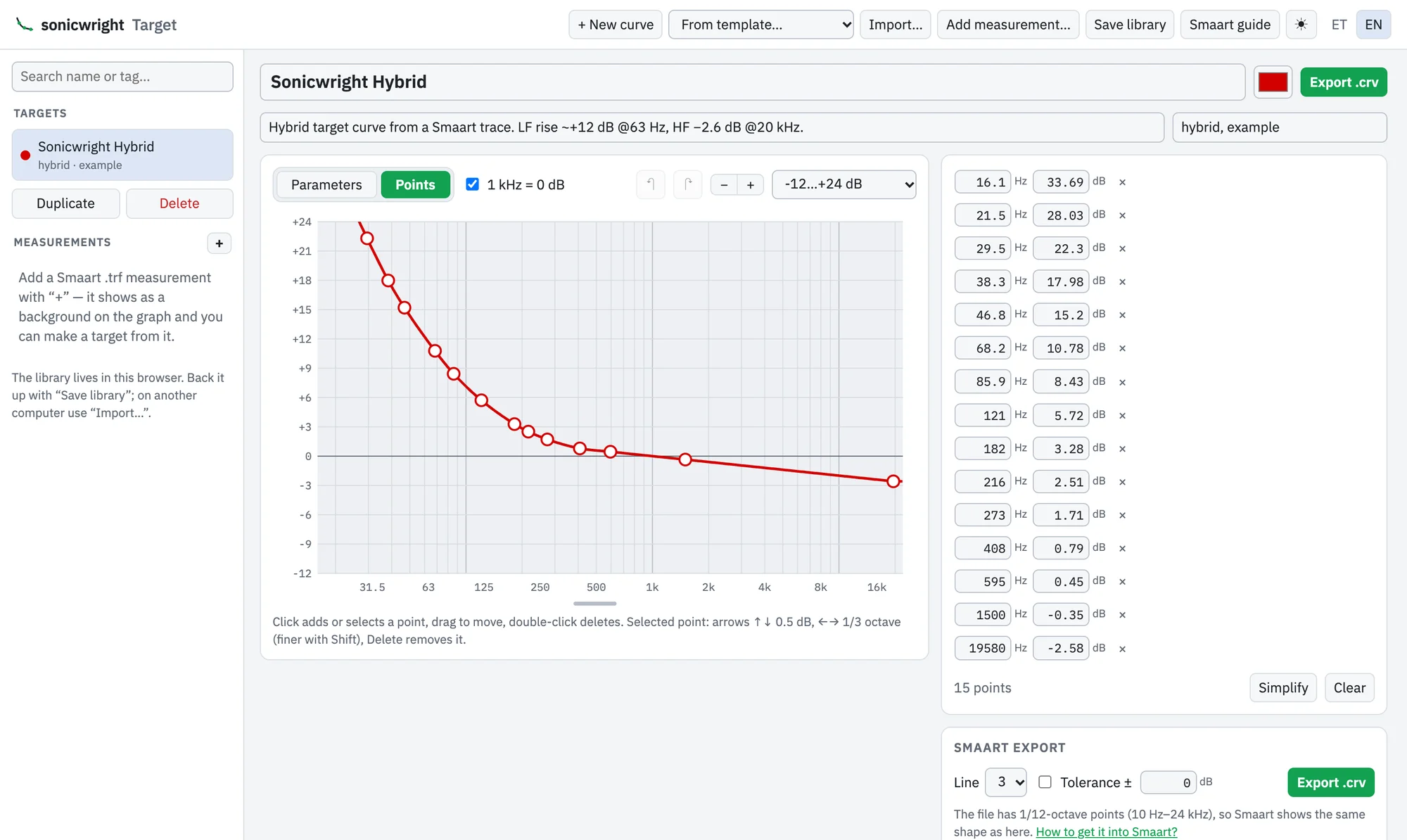
Curve builderKõvera koostamine
Blocks – low cut, LF and HF shelf, LF and HF slope, tilt and bell – or points you drag on the graph. 1 kHz can be locked to 0 dB.Plokid – low cut, LF ja HF shelf, LF ja HF kalle, tilt ja kell – või punktid, mida graafikul lohistad. 1 kHz saab lukustada 0 dB peale.
TemplatesMallid
Start from flat, tilt 3 or 6 dB, haystack 9 or 15 dB, a hybrid curve, or low cut with tilt.Alusta tasasest, 3 või 6 dB tiltist, 9 või 15 dB haystackist, hübriidkõverast või low cut'ist koos tiltiga.
LibraryTeek
Names, descriptions and tags, search, duplicating and comparing curves on one graph. Back up the whole library to a single file.Nimed, kirjeldused ja märksõnad, otsing, dubleerimine ja kõverate võrdlus ühel graafikul. Kogu teegi saab varundada ühte faili.
MeasurementsMõõtmised
Add a Smaart .trf measurement as a background on the graph and turn it into a target, with smoothing.Lisa Smaarti .trf mõõtmine graafikule taustaks ja tee sellest silumisega sihtkõver.
Into SmaartSmaarti
Export saves a .crv file with 1/12-octave points from 10 Hz to 24 kHz, so Smaart shows the same shape. Smaart .crv and .trf files can also be imported.Eksport salvestab .crv faili 1/12-oktaavi punktidega vahemikus 10 Hz – 24 kHz, nii et Smaart näitab sama kuju. Smaarti .crv ja .trf faile saab ka importida.
- In Smaart: Options → Target Curves (Alt/Opt + X)Smaartis: Options → Target Curves (Alt/Opt + X)
- Transfer Function tab → Import → choose the fileVahekaart Transfer Function → Import → vali fail
- Requires Smaart 9.4 or newer; a step-by-step guide is in the appVajab Smaart 9.4 või uuemat; samm-sammuline juhend on programmis
Account and dataKonto ja andmed
Target is free to use without limits. The first time, enter your name and email and type in the code we send you; after that the app opens straight away in the same browser. Your curves and library stay in your browser – only your name, email and when you last used the app are stored with us. See the privacy notice.Target on tasuta ja piiramatu. Esimesel korral sisesta nimi ja e-post ning sulle saadetud kood – edaspidi avaneb programm samas brauseris kohe. Kõverad ja teek jäävad sinu brauserisse – meie juures on ainult nimi, e-post ja see, millal programmi viimati kasutasid. Vaata privaatsusteadet.
Target is usable but still in development – features may change, and the Smaart import is still being tested. Feedback is welcome: info@sonicwright.com.Target on kasutatav, kuid veel arenduses – võimalused võivad muutuda ja Smaarti importi alles proovitakse. Tagasiside on oodatud: info@sonicwright.com.